Mobile AI personal assistant · iOS & Android beta

iOS TestFlight beta now Android early access now

Your personal AI chief of staff for work and life

See real-life examples

21 of 50 spots remaining

Kazi Voice is the personal side of Kazi—always with you and ready for real life. She remembers the goals, people, schedules, meetings, and commitments that matter, and Kazi uses connected tools, playbooks, and task agents for focused execution.

Built for people whose business and life refuse to stay in separate tabs.

SMB ownersSolo entrepreneursService business owners
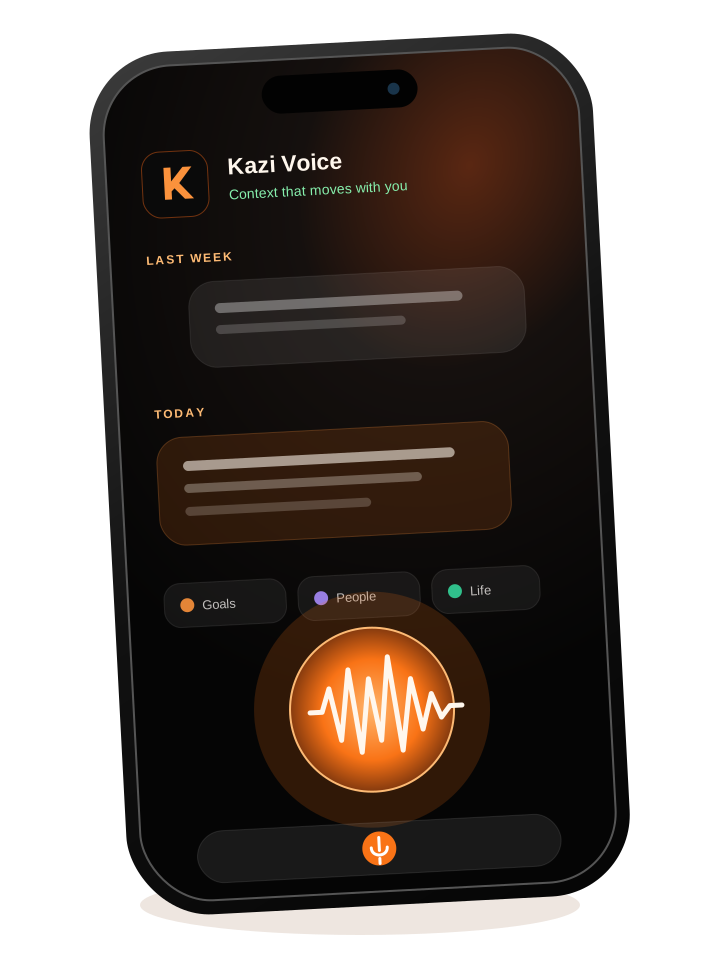
Kazi Voice mobile AI personal assistant displayed on a smartphone
Kazi Voice brings useful work-and-life context to a mobile personal assistant.

Not your average personal assistant

Most AI waits in a tab. Kazi moves through life with you.

Kazi Voice is not a desktop chatbot squeezed onto a phone. Mobile access, persistent personal context, and focused tools and task agents working behind the scenes combine to create agency wherever life and work happen.

Mobile by design

iPhone and Android early access now.

Context that carries forward

She remembers what matters across every return.

Focused execution behind the scenes

Connected tools, playbooks, and task agents extend Kazi when the work calls for them.

Real life, not demo prompts

What Kazi Voice looks like in an actual day.

Talk to Kazi while you are driving between jobs, walking into stand-up, heading to a showing, preparing for an investor call, finding room for the ride that keeps you human, or investigating a health pattern worth discussing with your clinician.

Who

Service business owner

The moment

Fill a route gap before it costs a day

“A customer cancelled tomorrow morning. Who is nearby, still waiting on an estimate, and likely to say yes?”

Connected context

Jobber via APIGmailGoogle CalendarQuickBooksStripe

What Kazi helps move forward

From the truck, ask Kazi to review jobs, quotes, route gaps, customer history, and payment status. She proposes the best replacement, drafts the outreach, and waits for approval before anything is scheduled or sent.

Who

Product manager

The moment

Walk into daily stand-up knowing what changed

“Brief me for stand-up. What did engineering commit to yesterday, what moved overnight, and what needs my decision?”

Connected context

Meeting AssistantSlackLinear or JiraGitHubGoogle Calendar

What Kazi helps move forward

On the commute, Kazi combines yesterday’s meeting commitments with Slack, tickets, pull requests, and today’s calendar. After stand-up, the meeting-scoped task agent captures new owners and blockers while Kazi carries the follow-up forward.

Who

Real estate professional

The moment

Move between showings without dropping the relationship

“I’m heading to Oak Street. Remind me what this buyer cares about, what the seller still owes us, and who needs a follow-up today.”

Connected context

Follow Up BossDotloopGmailGoogle CalendarGoogle Drive

What Kazi helps move forward

Kazi assembles buyer history from Follow Up Boss, transaction status and documents from Dotloop, property material, showing schedule, open questions, and follow-up into one spoken briefing. Between appointments, she prepares the next messages for approval.

Who

Startup owner

The moment

Run the company from one mobile briefing

“Before the investor call, tell me whether launch, pipeline, cash, and customer follow-up are actually on track.”

Connected context

Kazi CoworkMeeting coveragePlaybooksHubSpotStripeQuickBooksSlackGitHub

What Kazi helps move forward

Through the Kazi platform, Kazi coordinates bounded task agents and playbooks across product, revenue, finance, meetings, and content—then returns one decision-ready briefing instead of eight dashboards.

Who

Business owner who rides

The moment

Protect the ride without losing the week

“Find me a two-hour ride this weekend that fits my calendar and makes sense after the training I’ve already done.”

Connected context

StravaGoogle CalendarGoogle Maps RoutesFitbit (future)Apple Health (future)

What Kazi helps move forward

Kazi can compare recent Strava activities with the week ahead, suggest a realistic ride window and route, and protect the time after approval. Future Fitbit or permissioned Apple Health data could add recovery context without turning Kazi into a medical adviser.

Who

Health and fitness self-tracker

The moment

Look for patterns behind a hard-to-explain symptom

“I’ve photographed every meal and logged when this symptom appeared. What changed in my food, sleep, activity, or recovery beforehand?”

Connected context

Kazi Voice cameraStravaMy DocsApple Health from Apple Watch (future)Fitbit (future)

What Kazi helps move forward

Kazi can organize meal photos into a timestamped food and symptom journal, ask about details a photo cannot establish, and compare reported symptom dates with sleep, activity, recovery, and diet patterns. That could help surface a possible allergy, an environmental pattern, or another correlation worth investigating. With explicit permission, future Apple Health data from Apple Watch could enrich that view. She can prepare a concise timeline and questions for a clinician—without diagnosing the cause or changing treatment.

Examples depend on the services you connect and the permissions you grant. Strava is available now; Jobber, Fitbit, and Apple Health require supported or custom connections. Health pattern summaries are informational and are not medical diagnosis or treatment advice.

The big picture

One personal assistant. Bounded work delegated when needed.

Kazi Voice is the personal side of Kazi. Kazi holds the enduring relationship and context, and uses connected tools, playbooks, and task agents for focused execution—then brings useful outcomes back to you.

Kazi Voice gives you mobile access to a work-and-life relationship with Kazi. She remembers what matters. When focused execution is useful, Kazi delegates to task agents that apply playbooks and connected apps, then brings the outcomes back into the enduring relationship.

Your life, wherever you are

Mobile access to one enduring conversation.

Kazi

Your mobile work-and-life chief of staff. Kazi remembers what matters.

Explore Kazi

Context that carries forward

Kazi remembers what matters.

Goals, people, schedules, meetings, commitments, and yesterday's conversation stay part of the relationship. You keep moving without rebuilding context from scratch.

Connected apps

Connect the tools you already rely on.

See connected-app setup
GmailGoogle SheetsStripeNotionMonday.comAsanaSlack

Illustrative business outcomes

Queries answered
Leads followed up
Plumber dispatched

The point is outcomes: customer queries answered, leads followed up, plumber dispatched—not another stack of summaries.

Use your voice your way

Choose the kind of conversation the moment needs.

Kazi Voice gives you control when you need it and a natural back-and-forth when you do not.

Walkie-talkie

Hold and release each turn when maximum control matters.

Dictation

Compose one complete spoken message before sending it.

Hands-free

Keep a natural back-and-forth going without holding the button.

More than a microphone

Keep the useful parts of life and work close.

Voice is the starting point. Recorded meetings, shared material, and saved documents give Kazi what she needs to help you move forward.

Mobile platform

Giving new meaning to work-life balance.

Kazi Voice goes where SMB owners, solo entrepreneurs, and service business owners actually run their businesses and lives. Join the iPhone beta or get Android early access now.

iPhone · TestFlight beta now

Enter your email, get TestFlight (Apple's free app for early versions), then tap Install Kazi.

Android · early access now

Enter your email, then download the app straight to your phone. It isn't on the Play Store yet.

Start with the existing free tier

5 free credits · up to 5M tokens · 14-day trial beginning with first use.

Privacy · Terms

Kazi Voice beta FAQ

What is TestFlight?

TestFlight is Apple's free app for installing early versions of iPhone apps. Kazi's iPhone beta installs through it: get TestFlight from the App Store, then tap Install Kazi and TestFlight installs the app. New versions arrive in TestFlight as they ship.

How do I install Kazi on Android?

Android early access is a direct download, not a Play Store listing. Tap Get the Android app, enter your email, then on your Android phone tap Download Kazi in Chrome. When the download finishes, open the file. If Android says it can't install apps from this source, tap Settings, turn on Allow from this source, then go back and tap Install. You don't need an Expo account; ignore any Expo sign-in page.

What can Kazi do for me?

Start with the challenge, not the feature list. What keeps slipping through the cracks, consumes your attention, or stops you from doing your best work? Tell Kazi what you are trying to solve—getting your week under control, following up with customers, recording a meeting and knowing who committed to what, coordinating work and life, or turning scattered ideas into finished outcomes. Once connected to the tools you already use, Kazi can help understand the problem, organize the work, and take the right actions with your approval. Connected, Kazi can do almost anything. So the only question that matters is what you hand her first.